Part 3 · Running Your First Code Experiments · Chapter 9
Hands-on Python & Visual Block Play
Decoding the Computational Rosetta Stone and Moving from Blocks to Text
"Visual blocks and typed code are not two different languages. They are two different outfits worn by the exact same logic."
The mystery
The Great Block Avalanche
The Computational Laboratory looked as if a digital toy factory had exploded.
Stretching from the main terminal desk, over the filing cabinets, across the ceiling light fixtures, and cascading down into a giant plastic laundry basket was a continuous, colorful chain of snap-together visual code blocks. There were blue motion blocks, orange control loops, purple sound triggers, and green math operators. The chain was seventy-four feet long.
In the middle of the room, buried up to its sensor antennas in interlocking plastic blocks, was Agent Spark.
Spark's LED displays were spinning like pinwheels in a thunderstorm. "Chief Scientist!" Spark cried, a muffled voice emerging from beneath a stack of nested repeat (10) blocks. "Emergency diagnostic report! My graphical workspace canvas has exceeded available physical surface area by four hundred and twelve percent! I am attempting to program a game with fifty flying dragons, thirty treasure chests, and an orchestral soundtrack, but the blocks have colonized the hallway!"
The Chief Scientist gently lifted an oversized orange if <touching dragon?> then block off Spark's head.
"Spark, why did you snap seventy-four feet of visual blocks together across the ceiling?"
"Because the dragons require physics!" Spark explained earnestly, hovering upward while shedding colorful plastic trapezoids. "Each dragon needs a flight loop. Each flight loop has four movement blocks, three collision blocks, two sound effects, and a fire-breathing timer. Fifty dragons multiplied by nine blocks equals four hundred and fifty giant interlocking plastic bricks! If I add the final boss dragon, the visual blocks will push open the laboratory window and spill into the parking lot!"
The Chief Scientist chuckled, walking over to the sleek black monitor on the central workbench. On the screen was a simple text editor with just twelve lines of dark-mode Python code:
class Dragon:
    def __init__(self, color, speed):
        self.color = color
        self.speed = speed
        self.health = 100

dragons = [Dragon(color="crimson", speed=i * 2) for i in range(50)]
Spark floated over, its optical sensors zooming in until its circular lenses clicked. "Chief Scientist... what is that compact arrangement of alphabetical symbols?"
"That, Spark, is your fifty dragons."
Spark’s LED eyes froze. "Fifty dragons? In four lines of text? Where are the giant interlocking puzzle notches? Where are the rounded cartoon corner tabs? Where is the little plastic snap sound when you connect the tail of the loop to the head of the branch?"
"The snap is still there," the Chief Scientist smiled, tapping their forehead. "It's just snapping together inside your brain now instead of on the screen. For thousands of years, archaeologists couldn't read ancient Egyptian hieroglyphs until they found a single slab of black rock called the Rosetta Stone. On that stone, the same message was carved in ancient hieroglyphs, demotic script, and ancient Greek. Once they saw the translation, everything made sense."
The Chief Scientist pulled up a split-screen view on the terminal. On the left side were colorful Scratch-style visual blocks; on the right side was crisp, clean Python.
                  THE COMPUTATIONAL ROSETTA STONE

        Visual Block Track (Scratch)              Python Text Track
      ┌──────────────────────────────┐         ┌─────────────────────────┐
      │  [when green flag clicked]   │         │  def start_game():      │
      │  [set (score) to (0)]        │  ◄───►  │      score = 0          │
      │  [repeat (5)]                │         │      for i in range(5): │
      │    [change (score) by (1)]   │         │          score += 1     │
      └──────────────────────────────┘         └─────────────────────────┘
"Look closely, Spark," said the Chief Scientist. "Visual blocks and Python code are not two competing universes. They are the exact same machine, wearing two different outfits. Once you learn to see the skeleton beneath the clothes, you will be able to speak both languages fluently—and build worlds as big as your imagination without ever running out of room on your desk!"
Spark’s amber LEDs pulsed with renewed excitement. "Initiating Rosetta Stone translation protocol! Show me the skeleton, Chief Scientist!"
Unplugged lab
The Human Turtle & The Living Grid
Before you type a single line of Python or drag a single Scratch block, we must understand how a computer moves through space.
In this unplugged laboratory, you and your lab partner will step into the shoes of the world’s most famous programming invention: The Turtle.
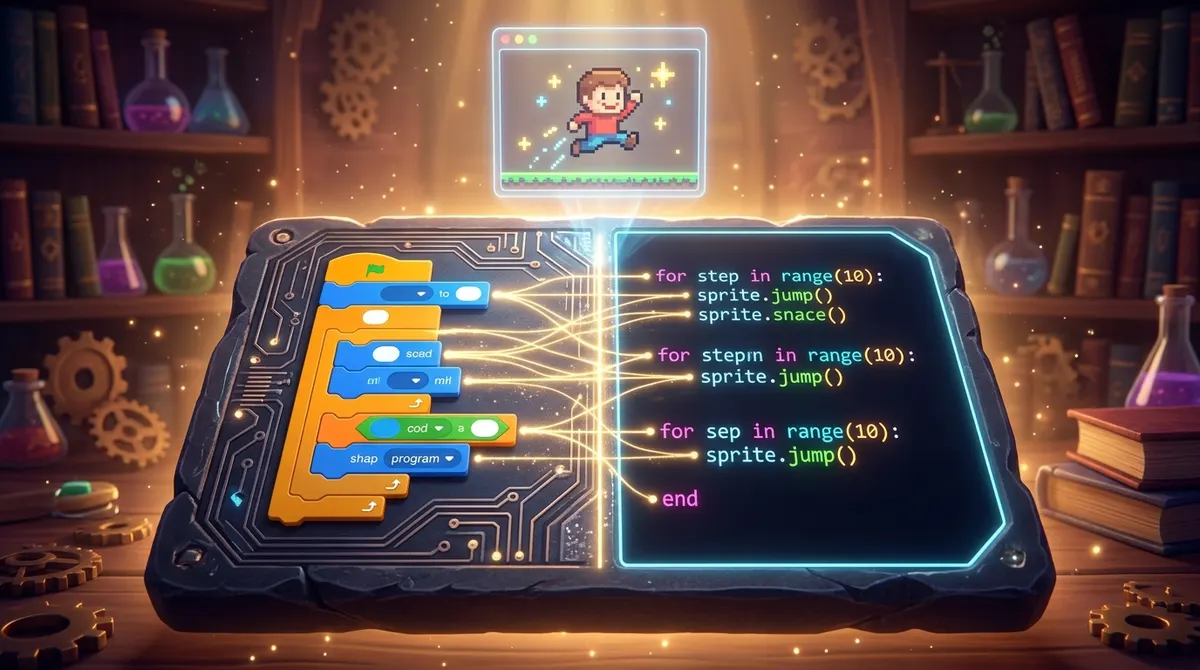 Figure 9.1: The Computational Rosetta Stone: colorful interlocking visual blocks on the left illuminate corresponding clean Python code syntax on the right.
Laboratory Equipment Needed:
- A Roll of Painter's Masking Tape (or chalk if working outdoors on a driveway).
- 4 Index Cards or Cardboard Sheets (to serve as Physical Code Blocks).
- 1 Blindfold or Scarf (Optional, for the "Robot Blind Test").
- 1 Toy Obstacle (a shoe, a plush bear, or an empty cardboard box).
Step-by-Step Experimental Setup
                         THE LIVING FLOOR GRID

                     [ (0,2) ] ─── [ (1,2) ] ─── [ (2,2) GOAL ]
                         │             │             │
                     [ (0,1) ] ─── [ OBSTACLE] ── [ (2,1) ]
                         │             │             │
                     [ (0,0) ] ─── [ (1,0) ] ─── [ (2,0) ]
                      TURTLE
Step 1: Lay Out the 3x3 Tile Grid
- Use masking tape to mark a 3x3 grid of squares on the floor. Each square should be about 1.5 feet (45 cm) across.
Great minds of the lab
Seymour Papert and the Friendly Turtle
In the 1960s, computers were terrifying, gigantic metal monoliths locked away in temperature-controlled basements at prestigious military bases and universities. They cost millions of dollars, were fed stacks of punch cards, and were tended by solemn professors in white lab coats.
The common belief among world experts was that computer programming was so mathematically complex that only adult PhD mathematicians could ever hope to understand it. Children, they insisted, should only be taught rote arithmetic.
Then came Seymour Papert (1928–2016).
                      SEYMOUR PAPERT'S REVOLUTION

         ┌──────────────────────────────────────────────────────┐
         │ 1960s TRADITIONAL VIEW:                              │
         │ "Computers are giant adding machines. Children must  │
         │  be drilled with punch-card arithmetic!"             │
         ├──────────────────────────────────────────────────────┤
         │ SEYMOUR PAPERT'S VISION:                             │
         │ "The computer should not program the child.         │
         │  The child should PROGRAM the computer!"             │
         └──────────────────────────────────────────────────────┘
From South Africa to Geneva to MIT
Born in Pretoria, South Africa, Papert was a polymath who loved mathematics, philosophy, and human psychology. In the 1950s, he traveled to the University of Geneva in Switzerland to study under the world's most famous child psychologist, Jean Piaget.
Piaget taught Papert that children do not learn by having knowledge poured into their heads like empty water buckets. Children learn through Constructivism—by physically exploring, playing, touching objects, building sandcastles, and forming their own theories about how the world works.
Digital sandbox
The 4 Universal Building Bricks
Whether you are snapping blocks together in Scratch, writing Python scripts in our laboratory sandbox, programming micro-controllers in C++, or commanding autonomous AI agents, every program ever written is constructed from just four universal building bricks:
                       THE 4 UNIVERSAL BUILDING BRICKS

       ┌──────────────────────┐              ┌──────────────────────┐
       │ 1. THE VARIABLE BRICK│              │ 2. THE DECISION BRICK│
       │   (Storing State)    │              │    (Branching Logic) │
       ├──────────────────────┤              ├──────────────────────┤
       │ 3. THE LOOP BRICK    │              │ 4. THE ACTION BRICK  │
       │   (Repetition)       │              │    (Functions)       │
       └──────────────────────┘              └──────────────────────┘
Let's examine how each brick translates across the Computational Rosetta Stone:
Brick 1: The Variable Brick (Storing State)
A variable is a labeled storage container in the computer's memory that holds a value.
- Visual Block:
[set (score) to (10)] - Python Syntax:
score = 10 - What Spark Does: Creates a memory box labeled
scoreand places the integer10inside. - Mental Model: A glass mason jar with a label taped to the front.
Brick 2: The Decision Brick (Conditionals)
A conditional tests whether a statement is or , choosing which path of code to execute.
Deep dive · Ages 10+
Python Under the Hood
How does a computer understand visual blocks under the hood?
When you snap blocks together on a screen in Scratch or Blockly, the computer does not see colors or rounded plastic tabs. The computer converts the blocks into a structured tree of data called an Abstract Syntax Tree (AST).
Here is the exact dual-track runner from our laboratory codebase in sandboxes/chapter_09_blocks_and_python/dual_track_runner.py:
#!/usr/bin/env python3
"""
Chapter 9 Sandbox: Dual-Track Python & Visual Block Runner
Demonstrates the equivalence between visual block sequences (Scratch JSON representation)
and Python syntax by executing both against an identical game physics model.
"""

from typing import Dict, Any, List

# Visual block representation (Scratch-like JSON Abstract Syntax Tree)
BLOCK_PROGRAM = {
    "block_type": "event_when_flag_clicked",
    "children": [
        {"block_type": "set_variable", "name": "score", "value": 0},
        {"block_type": "set_variable", "name": "speed", "value": 5},
        {
            "block_type": "repeat_times",
            "times": 3,
            "children": [
                {"block_type": "change_variable", "name": "score", "value": 10},
                {"block_type": "change_variable", "name": "speed", "value": 2}
            ]
        }
    ]
}

def execute_block_ast(node: Dict[str, Any], state: Dict[str, Any]) -> None:
    """
    Executes a visual block AST node recursively.
    Notice how each block_type corresponds directly to a Python keyword!
    """
    b_type = node.get("block_type")

    if b_type == "event_when_flag_clicked":
        # Execute each block attached under the green flag
        for child in node.get("children", []):
            execute_block_ast(child, state)

    elif b_type == "set_variable":
        # Translates to: variable_name = value
        state[node["name"]] = node["value"]

    elif b_type == "change_variable":
        # Translates to: variable_name += value
        state[node["name"]] = state.get(node["name"], 0) + node["value"]

    elif b_type == "repeat_times":
        # Translates to: for _ in range(times):
        for _ in range(node["times"]):
            for child in node.get("children", []):
                execute_block_ast(child, state)

def execute_python_equivalent() -> Dict[str, Any]:
    """Pure Python version of the exact same algorithm."""
    score = 0
    speed = 5
    for _ in range(3):
        score += 10
        speed += 2
    return {"score": score, "speed": speed}
Chapter 9 Key Concepts Review
- The Computational Rosetta Stone: Visual blocks and typed code express the exact same underlying algorithmic logic.
- The 4 Universal Building Bricks: Variables (state), Conditionals (decisions), Loops (repetition), and Functions (reusable recipes).
- Body-Syntonic Learning: Seymour Papert's principle that computational and geometric concepts become intuitive when connected to our own physical bodies.
- Python Indentation: The four-space indent is the direct text equivalent of the physical "mouth" of an enclosing block.
- The Abstract Syntax Tree (AST): The internal tree data structure computers use to understand both visual blocks and Python scripts.
In Chapter 10, we discover the golden rule of experimental science: how to isolate your variables so you never get trapped in confounding soup!
Like what you see?
Register for free to run the experiments, make predictions and solve the bug-detective cases. Your work is saved on your device and syncs to your account.