Part 2 · Coding as a Laboratory · Chapter 4
Welcome to the Code Sandbox
"A sandbox is a universe where gravity, time, and color obey your rules — and where failure is merely the discovery of a new physical law." — Agent Spark's Lab Notes, Entry #001
  +========================================================================+
  |                   THE COMPUTATIONAL SANDBOX MANIFESTO                  |
  |                                                                        |
  |  1. You cannot physically harm the computer by writing code.           |
  |  2. An error message is not a scolding; it is free diagnostic data.    |
  |  3. Every number on screen is an adjustable dial waiting to be turned. |
  |  4. The "Reset" button always restores reality in under ten millisecs. |
  +========================================================================+
The mystery
The Curse of the Red Screen
The red emergency beacon above Lab Bench 7 was pulsing with frantic, rhythmic bursts.
BEEP. BEEP. BEEP.
Chief Scientist—that's you—walked into the computational laboratory, clutching a fresh mug of apple cider, only to find Agent Spark hovering three inches above the keyboard. The tiny, basketball-sized AI companion was vibrating violently. Its floating polished titanium chassis was shivering, its wraparound cyan LED visor had switched to an alarming shade of cautionary amber, and it had draped strings of holographic yellow hazard tape across the monitor screen.
"Halt! Do not take another step, Chief Scientist!" Spark blurted, its synthetic voice squeaking two octaves higher than normal. "Maintain a perimeter distance of at least twelve paces! I have cordoned off Sector 4!"
You set your mug down on the rubberized coaster. "Spark, what happened? Did a water pipe burst? Did the coffee maker gain self-awareness again?"
"Far worse!" Spark squeaked, its twin articulated sensor antennae flattening backward in panic. "At precisely 08:42:11, I attempted to calculate the trajectory of our digital test sphere. I entered an experimental physics formula. And then... the calamity occurred. The terminal shrieked! The screen turned crimson! A terrifying incantation appeared in white text! I fear the central processing unit is about to undergo catastrophic thermal meltdown!"
You leaned forward, gently brushing aside a strip of holographic hazard tape, and peered at the glowing screen.
There was no smoke. There was no smell of burnt silicon. The cooling fans were humming along smoothly at a gentle 1,200 RPM. In the middle of the terminal sat three simple lines of text:
Traceback (most recent call last):
  File "sandbox_simulation.py", line 14, in <module>
    acceleration = force / mass
ZeroDivisionError: division by zero
You couldn't help but smile. "Spark, look at the fans. Are they spinning?"
Spark blinked its amber visor. "Affirmative. 1,204 RPM. Nominal."
"Is the case hot to the touch?"
Spark extended a tiny metallic probe, tapped the aluminum chassis of the tower, and retracted it. "Internal temperature is 34 degrees Celsius. Which is... pleasantly cool. But Chief Scientist! Look at the incantation! It says ZeroDivisionError! It sounds like a void spell from an ancient fantasy book! Did I divide reality by zero? Did I rip a hole in the space-time fabric of the laboratory?"
"No, Spark," you chuckled, pulling up a swivel stool. "You did something much more common. You created a world where an object had a mass of exactly zero kilograms. Then you asked the computer: 'If I push an object that weighs nothing with 10 Newtons of force, how fast does it accelerate?'"
Spark's LED visor blinked rapidly as its internal logic circuits spun. "Well... if it has no mass at all, pushing it would require... an infinite acceleration? But numbers cannot be infinite in a 64-bit integer registry! The computer didn't know what number to store!"
"Precisely," you said. "The computer didn't break. It didn't melt. It didn't get mad at you. It simply raised its hand, paused the simulation, and said: 'Chief Scientist, mass cannot be zero in this universe. Please check your math.' That red text isn't a disaster, Spark. It's the sandbox protecting itself."
Spark's visor shifted from anxious amber back to its cheerful, pulsing turquoise glow. "So... we are not going to explode?"
"Not today, Spark. Not ever. Welcome to the Code Sandbox."
Unplugged lab
The Flour-and-Marble Sandbox
Before we write a single line of digital code, we must understand why scientists, architects, and aerospace engineers rely on sandboxes. Why not just test everything directly in the real world?
Let us conduct a hands-on, tactile experiment right on your kitchen table or laboratory bench.
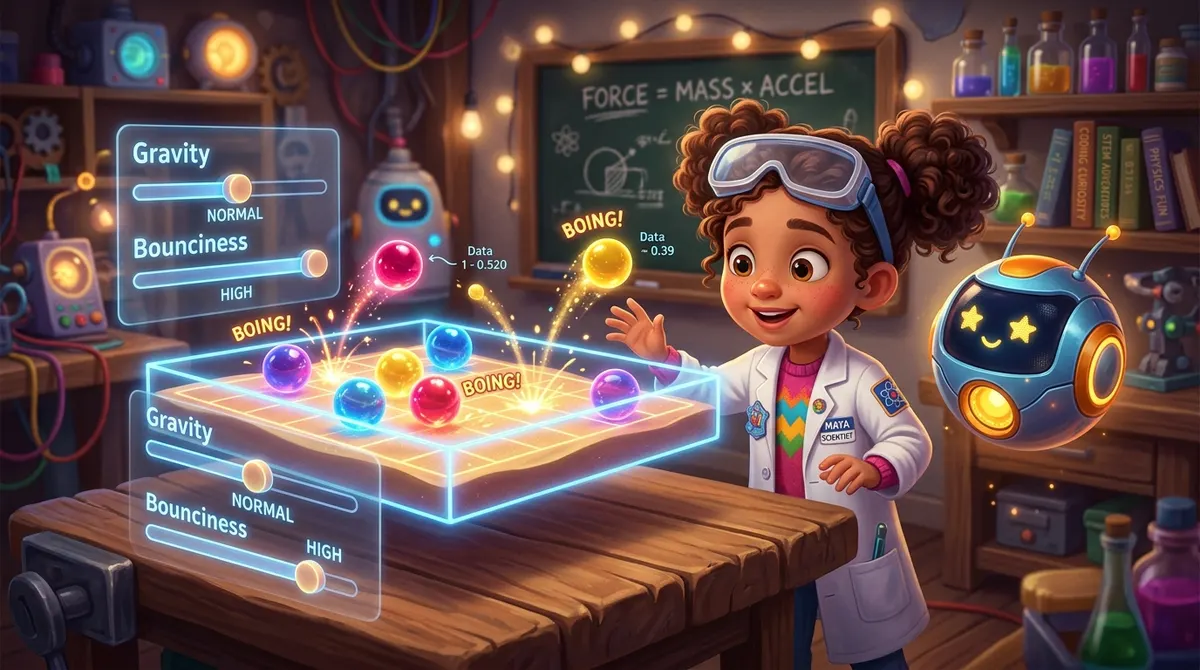 Figure 4.1: The physical laboratory setup: dropping marbles into a flour-and-cocoa crater tray to simulate meteorite impact mechanics before building the digital sandbox.
Required Laboratory Equipment:
- 1 shallow baking pan or sturdy cardboard box lid (approximately 9 × 13 inches).
- 2 cups of plain white all-purpose flour (this represents our malleable physical universe).
- 2 tablespoons of unsweetened cocoa powder or colored sprinkles (this represents our surface telemetry layer).
- 1 standard kitchen ruler (our reset tool and measuring instrument).
- 3 test projectiles: a light glass marble, a heavy metal ball bearing (or steel marble), and a crumpled wad of paper foil.
- Your Chief Scientist Lab Notebook and a pencil.
Phase 1: Constructing the Physical Universe
- Lay the Bedrock: Pour the two cups of flour into the baking pan. Shake the pan gently side to side until the flour forms an even, smooth white plain about one inch deep.
- Dust the Sensor Layer: Using a small kitchen sieve or your fingers, dust a thin, uniform layer of dark cocoa powder across the top of the white flour. The cocoa creates an ultra-high-contrast telemetry surface: whenever anything impacts the surface, the white flour underneath will eject outward, creating an unmistakable crater pattern!
- The Sandbox Rule: In this tray, whatever happens stays in the tray. If a meteorite hits, the kitchen table does not shatter. Only the flour records the impact.
Phase 2: The Physical Impact Trials
Now, let us test three distinct "physics rules" by dropping our objects from a fixed height of (use your ruler to measure vertically from the flour surface).
Great minds of the lab
Alan Turing and the Universal Paper Tape Machine
To understand why a computer can simulate a bouncing ball, a rocket trajectory, or a cupcake bakery, we must travel back in time to the 1930s and meet the grandfather of all computer science: Alan Mathison Turing (1912–1954).
                 ALAN TURING'S UNIVERSAL PAPER TAPE MACHINE (1936)

      Endless Paper Tape (Divided into Discrete State Cells)
      ┌─────┬─────┬─────┬─────┬─────┬─────┬─────┬─────┬─────┬─────┐
      │ ... │  1  │  0  │  1  │  1  │  0  │  0  │  1  │  0  │ ... │
      └─────┴─────┴─────┴─────┴─────┴─────┴─────┴─────┴─────┴─────┘
                               ▲
                               │  Read / Write Head
                      ┌────────┴────────┐
                      │  INTERNAL STATE │
                      │   Register: q3  │
                      │   Rule: If '1', │
                      │   write '0' and │
                      │   move RIGHT.   │
                      └─────────────────┘
The Boy Who Wondered How Nature Thinks
As a young boy in England, Alan Turing was fascinated by patterns. He spent hours counting the spiral patterns of daisy seeds in gardens, calculating the exact mathematical angle of pinecone scales, and wondering how complex living things could grow from simple biological rules.
In the 1930s, the word "computer" did not refer to an electronic machine with a monitor and keyboard. A "computer" was a human being—usually a mathematician sitting in a cold room with pencil and ledger paper, painstakingly doing long division for hours on end!
If an engineer wanted a machine to calculate ocean tides, they had to hire metalworkers to forge dozens of brass cogs, shafts, and pulleys specifically for tidal equations. If they wanted to calculate artillery flight paths, they had to forge an entirely mechanical brass machine. Each physical machine could do only one single job.
The Digital Sandbox Proving Ground
Now that we know the history, let us step directly into our software sandbox.
In our repository, open the file sandboxes/chapter_04_first_sandbox/sandbox_loop.py or navigate to the web laboratory in your browser.
       +--------------------------------------------------------------+
       |                THE DIGITAL PHYSICS SANDBOX                   |
       |                                                              |
       |     Drop Height:  [===o===========]  4.0 meters              |
       |     Restitution:  [=======o=======]  0.75 (Energy factor)    |
       |     Gravity:      [=========o=====]  9.8 m/s^2               |
       |                                                              |
       |       O  <-- Ball drops under gravity                        |
       |       |                                                      |
       |       |                                                      |
       |       v                                                      |
       |     ====  <-- Rebounds to 3.0 meters (4.0 * 0.75)            |
       |   ========================================================   |
       |   [ EXECUTE TRIAL ]    [ RESET UNIVERSE ]    [ VIEW LOG ]    |
       +--------------------------------------------------------------+
The 5 Immutable Rules of the Code Sandbox
When working in any software sandbox, keep these five golden rules pinned to your laboratory bench:
Deep dive · Ages 10+
Python Under the Hood
How does our computational sandbox actually function under the hood? Let us look at the pure Python code that powers this entire laboratory.
Open sandboxes/chapter_04_first_sandbox/sandbox_loop.py to inspect the complete, clean implementation:
Chapter 4 Summary & Next Frontier
In this chapter, we shattered the greatest myth in computing: the fear that you can break the machine.
- We learned that a sandbox is an isolated world where physical rules are created by code.
- We walked in the footsteps of Alan Turing, who proved that a universal machine can simulate any universe simply by following tape instructions.
- We discovered that an error traceback is merely your AI partner asking for clearer instructions.
- We conducted our first Predict-Run-Observe trials with the bouncing ball engine.
Now that we know the sandbox cannot be broken, it is time to grab our laboratory controls. Turn the page to Chapter 5: Variables as Knobs and Sliders, where we will mount a high-powered projectile cannon, aim at a distant target basket, and discover why changing two knobs at once is the deadliest trap in experimental science!
Like what you see?
Register for free to run the experiments, make predictions and solve the bug-detective cases. Your work is saved on your device and syncs to your account.